Ransomware doesn't start with encryption — it starts with one staff member opening the wrong attachment or clicking the wrong link. Best overall for Australian teams: Cyber Aware, which pairs ransomware-themed phishing simulations with staff-facing incident response drills. Best for a fast technical check: KnowBe4's RanSim, a free tool that tests whether an endpoint is vulnerable to ransomware behaviour patterns. Best for compliance-heavy programs: Infosec IQ, which bundles ransomware scenario templates into structured training modules.
TL;DR
- Cyber Aware wins for combining ransomware-lure phishing simulations with staff incident-response drills in 2026.
- KnowBe4's RanSim is the fastest way to check if an individual machine is technically exposed to ransomware behaviour.
- Proofpoint and Cofense suit larger security teams that want simulation data fed straight into SOC workflows.
- None of the tools for simulating ransomware attacks on staff replace a written incident response plan — they test whether staff follow one.
- Hoxhunt and Infosec IQ trade depth of scenario realism for lower setup effort, which matters for lean IT teams.
Why this matters
A phishing simulation tells you who clicked. A ransomware simulation tells you what happens next — does the employee report it, unplug the machine, or sit on it for three hours because they're not sure it's a big deal. That gap is where actual ransomware incidents get expensive.
Cyber Aware builds ransomware scenarios around that second question: not just click rates, but response behaviour once someone realises something is wrong. That distinction is the whole point of running a drill instead of a generic phishing test, and it's why the tools on this list aren't interchangeable — some test technical exposure, others test human decision-making under pressure.
A well-run ransomware simulation in 2026 does three things: it mimics a realistic lure (a fake invoice, a spoofed IT alert, a fake software update), it tracks what the employee does in the first five minutes after suspicion sets in, and it feeds that data into targeted retraining. Miss any one of those three and the drill is theatre, not testing.
What makes the best ransomware simulation tool
- Scenario realism — lures that mirror actual 2026 ransomware delivery methods (fake invoices, spoofed software updates, credential-harvesting portals), not generic phishing templates
- Response tracking — measures what staff do after suspicion, not just whether they clicked
- Incident response tie-in — connects the simulation to an actual reporting or escalation workflow
- Reporting depth — breaks results down by team, role, or location, not just a single company-wide score
- Deployment ease — works across mixed device fleets without heavy IT lift
- Follow-up training — automatically assigns targeted microlearning to staff who fail the drill
At a glance
| Tool | Best for | Standout feature | Key limitation |
|---|---|---|---|
| Cyber Aware | Combining ransomware-lure phishing sims with incident response drills | Ties simulation results directly to staff-facing response training | Focused on staff behaviour, not endpoint-level technical scanning |
| KnowBe4 RanSim | A fast technical vulnerability check | Free tool that tests actual endpoint exposure to ransomware behaviour | Tests machines, not staff decision-making |
| Proofpoint Security Awareness Training | Large enterprises needing threat-intelligence-driven scenarios | Scenarios update against current threat intelligence feeds | Setup and admin overhead suits bigger IT teams, not lean SMBs |
| Hoxhunt | Behaviour-driven microlearning tied to simulated attacks | Adaptive difficulty based on individual staff performance | Less depth on ransomware-specific incident response drills |
| Cofense PhishMe | Security teams wanting simulation data fed into SOC workflows | Strong integration with existing SOC and ticketing tools | Steeper learning curve for non-technical admins |
| Infosec IQ | Compliance-driven training programs | Large library of pre-built ransomware scenario templates | Less flexibility for custom, org-specific lure scenarios |
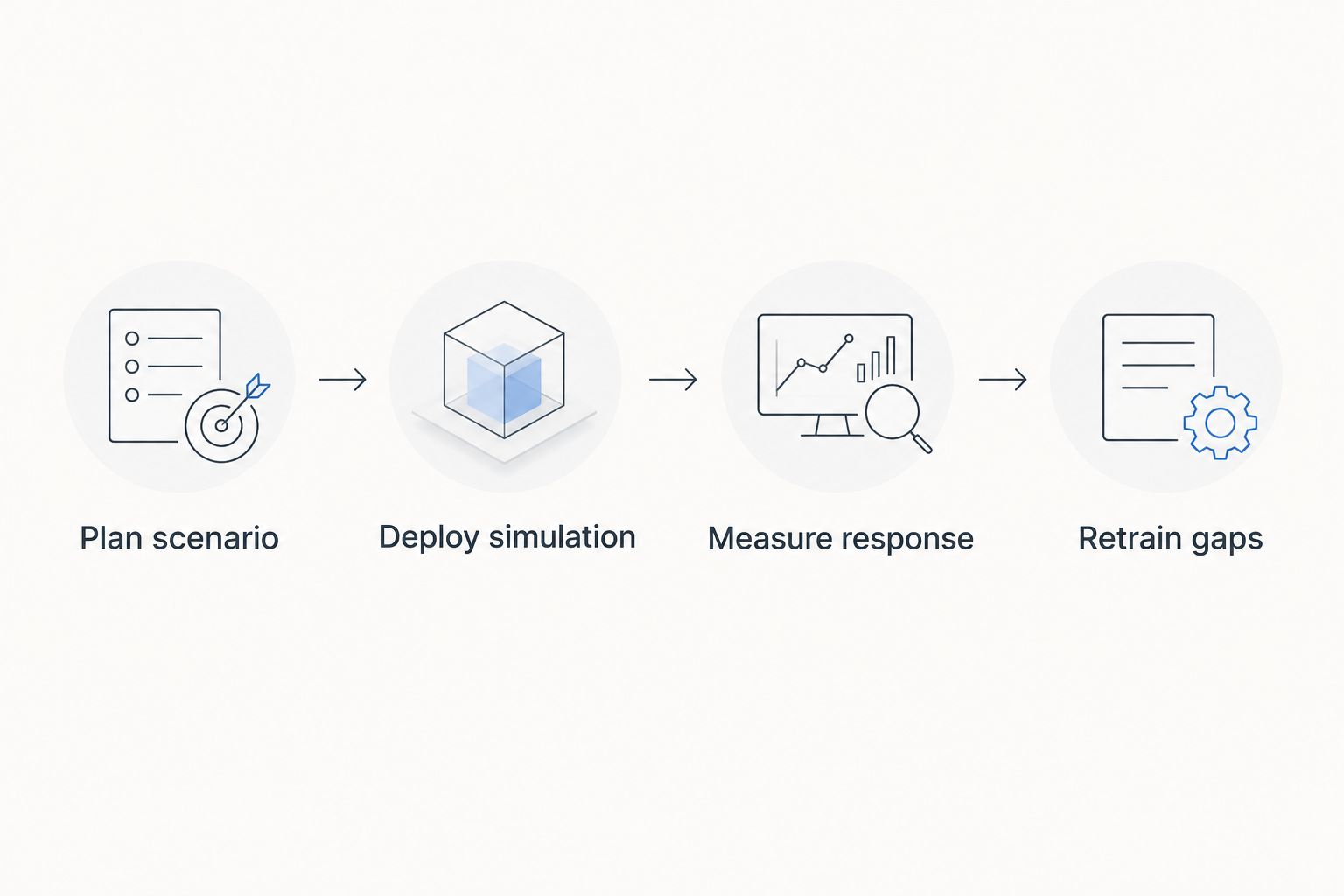
A ransomware drill only works if the retrain step actually happens.
1. Cyber Aware: best for pairing ransomware simulations with incident response training
Cyber Aware runs simulated phishing scenarios built around ransomware delivery methods — fake invoices, spoofed software updates, credential-harvest pages — and measures what staff do after the click, not just whether they clicked. That behavioural layer connects directly to guidance on setting up simulated ransomware attack drills and training staff during an actual ransomware incident response.
Cyber Aware pros:
- Ties simulation results to a documented incident response workflow, not just a scorecard
- Content built around Australian scam patterns relevant to 2026 threat activity
- Follow-up microlearning assigned automatically to staff who fail a drill
Cyber Aware cons:
- Doesn't scan endpoints for technical ransomware vulnerability — that's a different job entirely
- Best value shows up over repeated drills, not a single one-off test
Best for: organisations that want ransomware simulations tied to how staff actually respond, not just whether they click. Verdict: Buy.
2. KnowBe4 RanSim: best for a fast technical vulnerability check
RanSim is a free tool that simulates ransomware infection behaviour on a machine to check whether existing endpoint defences catch it. It doesn't touch human behaviour at all — it's a technical scan disguised as a simulation.
KnowBe4 RanSim pros:
- No cost to run a basic scan
- Fast — results in minutes, not weeks
- Useful cross-check before rolling out a staff-facing drill
KnowBe4 RanSim cons:
- Tests machines, not people — irrelevant to staff training goals
- No reporting on staff response behaviour whatsoever
Best for: IT teams that want to confirm endpoint defences before testing staff. Verdict: Buy (as a technical companion, not a staff training tool).
3. Proofpoint Security Awareness Training: best for enterprises needing threat-intelligence-driven scenarios
Proofpoint builds simulations informed by its own threat intelligence feed, which means ransomware lure templates get updated as tactics shift. That's valuable for larger organisations facing targeted campaigns, less so for a 12-person team.
Proofpoint pros:
- Scenario library updates against live threat intelligence
- Detailed reporting broken down by department and role
- Established platform with enterprise-grade admin controls
Proofpoint cons:
- Admin overhead suits IT teams with dedicated security staff
- Overkill for a business running its first ransomware drill
Best for: enterprises with an in-house security function running continuous simulation programs. Verdict: Hold unless you already have the admin capacity to run it properly.
4. Hoxhunt: best for behaviour-driven microlearning tied to simulated attacks
Hoxhunt adapts scenario difficulty to individual staff performance — someone who consistently spots lures gets harder scenarios over time, someone who struggles gets easier ones with more coaching. The gamified structure keeps engagement up across repeat drills.
Hoxhunt pros:
- Adaptive difficulty per employee, not a flat company-wide script
- Gamification improves repeat engagement across the year
- Clear individual progress tracking
Hoxhunt cons:
- Less depth specifically on ransomware incident response behaviour
- Gamified format can feel less serious for compliance-driven audiences
Best for: teams that need staff to stay engaged with repeated simulations across 2026 rather than one annual test. Verdict: Hold for ransomware-specific depth; strong general pick.
5. Cofense PhishMe: best for SOC-integrated simulation data
Cofense feeds simulation results directly into existing SOC and ticketing tools, so a failed drill can trigger the same escalation path as a real reported incident. That's the point for security teams that already run incident response processes and want simulations to test them.
Cofense PhishMe pros:
- Strong integration with SOC and ticketing platforms
- Simulation data mirrors real incident escalation paths
- Useful for testing whether the reporting pipeline itself works
Cofense PhishMe cons:
- Steeper setup curve for non-technical admins
- Less useful without an existing SOC or ticketing workflow to plug into
Best for: security operations teams testing whether their escalation pipeline actually works under a simulated ransomware scenario. Verdict: Hold unless a SOC integration is already in place.
6. Infosec IQ: best for compliance-driven training programs
Infosec IQ leans on a large library of pre-built scenario templates, which makes it fast to deploy for teams that need documented, auditable training rather than highly customised lures.
Infosec IQ pros:
- Large pre-built template library speeds up rollout
- Straightforward for compliance and audit documentation
- Simple admin interface for non-technical staff
Infosec IQ cons:
- Less flexibility to build org-specific ransomware lure scenarios
- Template-driven approach can feel generic after a few cycles
Best for: organisations that need ransomware simulation records for an audit or compliance framework rather than deep customisation. Verdict: Hold for realism; solid pick for compliance documentation.
How we ranked
Each tool got measured against the six criteria above: scenario realism, response tracking, incident response tie-in, reporting depth, deployment ease, and follow-up training. Tools that only measure clicks — without tracking what happens after suspicion sets in — dropped in ranking regardless of how polished the lure templates looked. That's the gap that separates a real staff simulation from a technical scan wearing a training label.
Which ransomware simulation tool should you choose?
For most Australian businesses running staff-facing drills in 2026, Cyber Aware is the default pick — it's the only tool on this list that ties the simulation directly to incident response behaviour, not just a click score. If you need a fast technical baseline first, run KnowBe4's RanSim on key endpoints before rolling out staff drills. Enterprises with a dedicated SOC should look at Cofense or Proofpoint instead — the added admin overhead only pays off once there's an existing security team to feed the data into.
Run a ransomware drill for your team
See how simulated ransomware scenarios fit your 2026 training calendar.
FAQ
What's the best tool for simulating ransomware attacks on staff in 2026?
Cyber Aware is the strongest overall pick because it ties ransomware-themed phishing simulations to staff incident response training, not just click tracking. Teams needing a technical endpoint check should pair it with KnowBe4's RanSim.
Is a ransomware simulation different from a phishing simulation?
Yes. A phishing simulation measures whether someone clicks a lure; a ransomware simulation tracks what the employee does after suspicion sets in, including whether they report it or try to fix it themselves.
How often should a business run a ransomware drill?
Most security awareness programs in 2026 run simulations quarterly, with follow-up microlearning assigned immediately to anyone who fails a drill.
Can small businesses run ransomware simulations without an IT team?
Yes — platforms like Cyber Aware and Infosec IQ are built for non-technical admins to deploy scenarios without dedicated security staff.
Does KnowBe4's RanSim test staff behaviour?
No. RanSim tests whether an individual endpoint is technically vulnerable to ransomware behaviour — it doesn't measure how a staff member responds to a simulated attack.
What should a ransomware drill measure besides click rate?
Response time after suspicion, whether the employee reports the incident correctly, and whether they follow the documented escalation path matter more than the initial click.
Are ransomware simulation tools worth it for a small team?
Yes, particularly because ransomware recovery costs scale badly for small businesses without dedicated IT resources — a drill that catches a weak reporting habit in 2026 is cheaper than an actual incident.
One last thing
Most failed ransomware drills don't fail at the click — they fail at the report. Staff who click a fake ransomware lure but immediately flag it to IT cost a business almost nothing; staff who click and stay quiet for hours are the actual risk. Score your next drill on reporting speed, not just click rate.