Best overall for a dedicated awareness programme: KnowBe4. Best for Microsoft-led phishing drills: Microsoft Attack simulation training; best for an existing learning portal: Moodle. This Cyber Aware guide compares cyber security training software for small businesses in 2026, with the trade-offs and demonstration checks that should decide your shortlist.
TL;DR
- KnowBe4 is the default cyber security training software shortlist choice for a dedicated staff awareness programme.
- Microsoft Attack simulation training suits businesses that want phishing exercises administered within their Microsoft security environment.
- Moodle suits businesses that already manage staff learning and can maintain their own security awareness content.
- Choose on administration, relevant lessons and usable evidence—not the size of a course catalogue.
Why this matters
Small businesses need staff to recognise suspicious requests and know what to do next. Finishing a video is not the same as independently verifying a supplier’s changed bank details.
The wrong software creates another task for someone who already manages operations, IT or HR. The right selection starts with the work you need to teach, the person who will administer training and the records you need to retain.
Cyber Aware’s recommendation for small businesses is to choose cyber security training software around a repeatable training workflow, not a feature count. A dedicated platform, a Microsoft simulation tool and an existing learning management system solve different problems.
What makes the best cyber security training software?
Use these criteria before comparing demonstrations. For your 2026 shortlist, make each supplier show the relevant workflow rather than simply confirm that a feature exists.
- Administration: You can assign learning, identify overdue staff and handle starters and leavers without rebuilding a spreadsheet.
- Relevant teaching: Lessons explain decisions your staff actually make, including payment changes, password requests and unexpected login prompts.
- Practice and feedback: Staff receive an explanation after a mistake, not just a failure label.
- Usable evidence: You can retrieve assignments, completion records and assessment results in a format your business can use.
- Learner access: Staff can understand the material and complete it using the devices and access arrangements you permit.
- Safe operation: Administrators understand what simulations collect, who can see results and how suspected real attacks reach the responsible person.
A missing requirement is a reason to reject a product, even when the demonstration looks polished. Treat optional features as tie-breakers only after the essential workflow passes.
Cyber security training software at a glance
The order below follows the default recommendation, then the alternatives for distinct operating needs. These are fit-based recommendations, not measured product performance rankings.
| Software | Best for | Standout capability | Key limitation |
|---|---|---|---|
| KnowBe4 | A dedicated staff awareness programme | Security awareness training alongside simulated phishing | Someone still needs to own assignments, follow-up and interpretation |
| Microsoft Attack simulation training | Microsoft-led phishing exercises | Attack simulations within Microsoft Defender for Office 365 | Access depends on licensing; simulations do not replace your workplace procedures |
| Moodle | Delivering security lessons through an existing learning portal | General learning management with quizzes and completion tracking | Your business must source, maintain and administer security content |
Do not treat the rows as interchangeable. A business seeking ready-made security teaching has a different requirement from a business that already owns suitable course material.
1. KnowBe4: best cyber security training software for a dedicated programme
KnowBe4 provides security awareness training and simulated phishing. It is the clearest starting point here when you want a product centred on staff security education rather than adapting a general learning system.
Best for: A small business assigning ownership of an ongoing awareness programme. Start here when you need both teaching and exercises, then check how those activities connect in the proposed configuration.
KnowBe4 pros
- Security awareness is the product’s core purpose, rather than an additional subject in a general course portal.
- Training and simulated phishing support both instruction and practice.
- A dedicated platform gives your evaluation a clear scope: teaching, exercises, follow-up and evidence.
KnowBe4 cons
- Software does not remove the need for an internal programme owner.
- Generic scenarios still need to be matched to your payment, reporting and identity-verification procedures.
- Phishing results need context; an individual click does not explain why someone made a decision.
For the demonstration, ask the administrator to assign learning to a new starter, find an overdue learner and retrieve a completed employee’s record. Then inspect a lesson as an employee, not through the administrator’s preview alone.
Use an Australian workplace example. A supplier emails revised bank details, uses a familiar signature and asks for urgent payment; the lesson should lead staff towards verification through a trusted channel, not just spotting spelling mistakes.
Your 2026 decision should turn on whether the proposed setup fits the person running it. Verdict: Buy only after the staff and administrator workflows pass your demonstration checklist.
2. Microsoft Attack simulation training: best for Microsoft-led drills
Microsoft Attack simulation training is part of Microsoft Defender for Office 365 and supports simulated attacks with training experiences. It belongs on your shortlist when your security administrator wants to manage phishing exercises within the Microsoft environment.
Best for: A business with an administrator already responsible for Microsoft security. Confirm licensing and permissions before planning an exercise; using Microsoft email alone does not establish entitlement to this capability.
Microsoft Attack simulation training pros
- Simulation administration sits within the Microsoft security environment.
- Simulated attacks provide a way to practise recognising deceptive messages.
- Associated training supports an educational response rather than a test with no explanation.
Microsoft Attack simulation training cons
- Licensing and administrative permissions require checking before rollout.
- A Microsoft-centred exercise still needs your business’s reporting and escalation process.
- Simulation results alone do not establish whether staff can handle phone scams, payment changes or physical security requests.
Ask your administrator to demonstrate the complete exercise lifecycle: selecting recipients, configuring an exercise, checking results and arranging follow-up. Include the person who receives genuine suspicious-message reports in that discussion.
Test what happens when someone reports the simulation as a real threat. Your business needs a defined response, not a situation where the IT contact and training administrator work from different assumptions.
For a 2026 evaluation, separate convenience from suitability. An existing Microsoft environment is a reason to inspect this option, not a reason to skip the learner experience. Verdict: Buy only after licensing, ownership and the reporting workflow are confirmed.
3. Moodle: best for an existing staff learning portal
Moodle is a learning management system that supports courses, quizzes and completion tracking. You can use it to deliver security education, but it is not a dedicated phishing simulation platform.
Best for: A business already using Moodle with someone responsible for course administration. This route makes sense when you want security learning beside other staff education and can maintain the material yourself.
Moodle pros
- Security lessons can sit within an established staff learning environment.
- Quizzes support checks on understanding rather than attendance alone.
- Course completion tracking supports a structured record of assigned learning.
Moodle cons
- Your business must obtain or create suitable security content.
- Someone must review lessons when internal procedures or examples change.
- A general learning portal does not provide a dedicated phishing programme by itself.
Show staff your actual escalation process within the course. A lesson that says to contact IT is incomplete when your business uses an external provider and employees do not know the reporting address.
Ask the course owner to demonstrate a content update and retrieve a learner’s record. If only an external developer can make an ordinary lesson change, include that dependency in your decision.
For 2026, choose Moodle because you have a workable learning operation—not simply because it is familiar. Verdict: Buy into this approach only when content ownership and ongoing administration are already assigned.
How to compare the finalists without a drawn-out pilot
Give each shortlisted option the same evaluation tasks. Cyber Aware recommends a small, controlled pilot that tests administration and employee decisions separately.
The timings below are suggested evaluation settings, not claims about product performance or learning effectiveness:
- 10 staff: Include people who handle payments, customer requests and routine administration. Use your whole team if it is smaller.
- 20 minutes: Give the proposed administrator a timed exercise covering assignment, overdue follow-up and record retrieval.
- 30 days: Set a decision deadline so the evaluation ends with a documented selection or rejection.
Use these stages in order:
- Define outcomes: Write down the decisions employees should make correctly.
- Check administration: Ask your actual programme owner to perform routine tasks.
- Test learning: Have staff complete a lesson and explain the required action.
- Review evidence: Retrieve records and document the remaining gaps.
A pilot should expose friction before a wider rollout. Record where staff need help and where the administrator leaves the platform to finish a routine task.
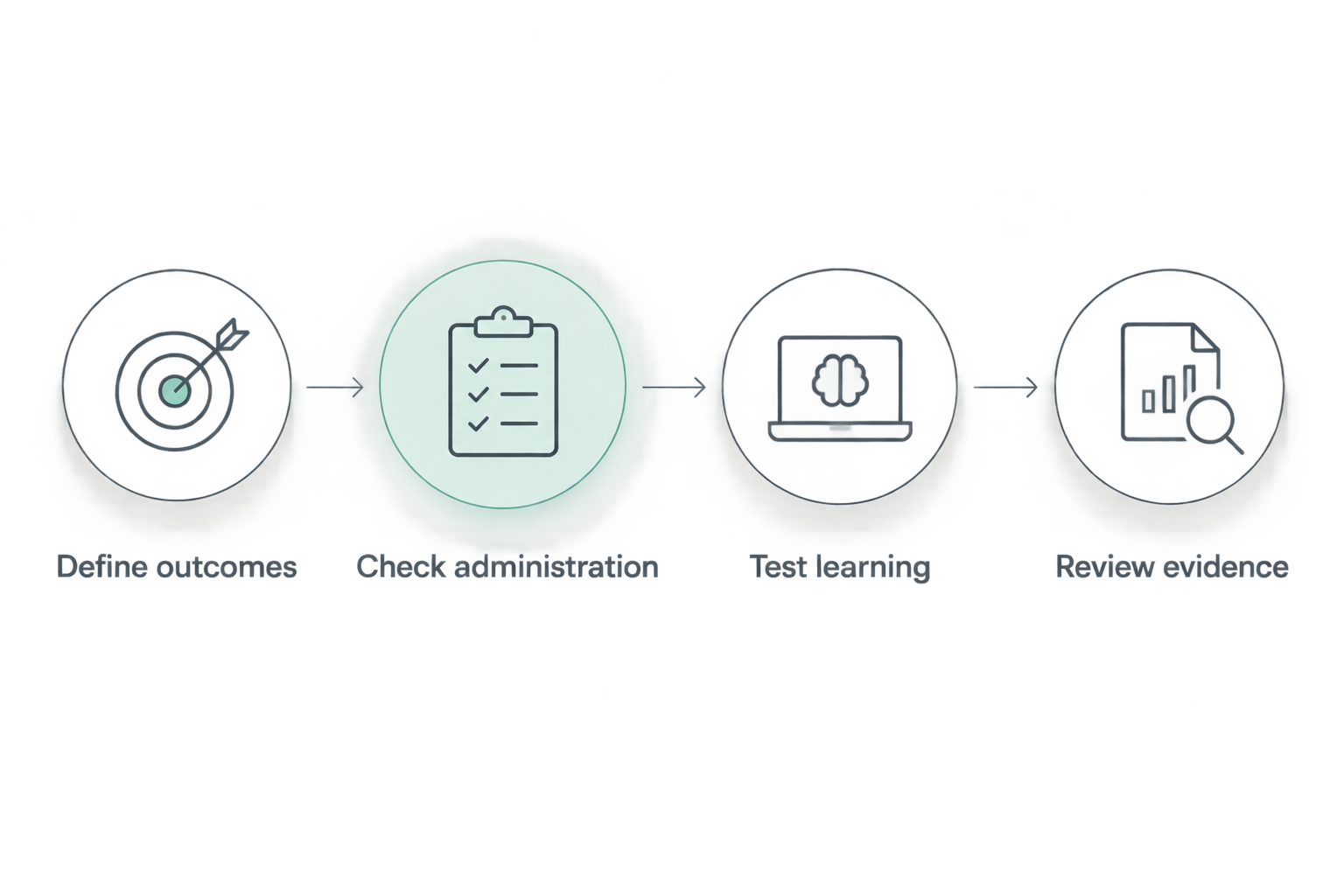
Test the administrator’s work as well as the employee’s learning experience.
Reject a tool when a mandatory task fails, rather than averaging that failure into an attractive overall score. A readable course cannot compensate for records you cannot retrieve.
What should Australian small-business training cover?
Your 2026 programme should teach staff how to act on suspicious requests across email, phone calls, messaging and shared documents. Do not make recognition depend entirely on poor grammar or an unfamiliar logo.
Build lessons around your own procedures:
- Payment changes: Verify changed bank details through a trusted, independently established contact method.
- Login requests: Reach the service through a trusted route instead of following an unexpected sign-in link.
- Urgent executive requests: Check unusual payment or disclosure instructions through a separate channel.
- Suspicious messages: Preserve the relevant details and report through your approved process.
- Account concerns: Tell the responsible person promptly after an unexpected approval request or suspected credential disclosure.
Include familiar Australian impersonation contexts, such as tax, government-service and superannuation messages. Teach verification behaviour rather than asking staff to memorise the appearance of legitimate communications.
Keep training separate from technical controls. Lessons do not replace multifactor authentication, patching, backups or payment approvals.
How we ranked these options
This shortlist prioritises the criteria above: administration, relevant teaching, practice, evidence, learner access and safe operation. The order reflects different operating models, not a claimed head-to-head test.
KnowBe4 takes the default position because a dedicated awareness programme is the closest match to the query. Microsoft Attack simulation training takes the Microsoft-administered exercise slot, while Moodle takes the existing-learning-portal slot.
No completion-rate, attack-reduction or implementation-speed figures underpin these recommendations. Your demonstration and pilot should establish fit for your business.
Which cyber security training software should you choose?
Choose KnowBe4 as your first demonstration when you need a dedicated staff awareness programme. Bring your administrator and a representative employee, and require both to complete ordinary tasks.
Choose Microsoft Attack simulation training when Microsoft security administration is already owned and phishing exercises are your immediate requirement. Choose Moodle when you already operate that learning environment and have someone accountable for security content.
For an undecided business, Cyber Aware’s next move is straightforward: document the required workflow, demonstrate the dedicated option first, then compare alternatives against the same tasks. Do not purchase a larger feature set to avoid making an ownership decision.
FAQ
What’s the best cyber security training software for a small business?
KnowBe4 is the default shortlist choice here for a dedicated staff awareness programme. Confirm that your proposed administrator can assign learning, follow up overdue staff and retrieve records before choosing it.
Can I use Microsoft software for phishing training?
Microsoft Attack simulation training supports simulated attacks and associated training within Microsoft Defender for Office 365. Check your licensing and administrative permissions before planning a rollout.
Can Moodle deliver cyber security awareness training?
Moodle can deliver security courses, quizzes and completion tracking. Your business must provide and maintain suitable content, and Moodle is not a dedicated phishing simulator.
What should I ask to see in a software demonstration?
Ask to see learner assignment, overdue follow-up, the employee experience and record retrieval. Have your intended administrator perform the tasks rather than relying only on a supplier-led presentation.
Are phishing click rates enough to measure staff learning?
Phishing click rates are not enough to explain staff understanding or response. Review reporting behaviour, scenario difficulty and whether employees can describe the correct verification action.
Does completing training make my business compliant?
Completing a course does not establish compliance by itself. Match your training, records and supporting controls to the specific obligations or contractual requirements that apply to your business.
Who should own security awareness training in a small business?
Assign a named person who can manage enrolment, follow up incomplete learning and coordinate with whoever handles security incidents. An external provider can support delivery, but internal accountability still needs an owner.
One last thing
Ask an employee what they would do after clicking a suspicious link—not just how they would avoid clicking it. The answer tests whether your programme teaches recovery as well as recognition.
Put the reporting action inside the lesson. Staff should leave knowing who to contact, what to preserve and that prompt reporting is the expected response.