Best overall: a blended staff programme. Best for finance and administration: role-based workshops. Best for practising suspicious-message reporting: coached phishing simulations. This 2026 Cyber Aware guide ranks cyber security awareness training for schools and colleges by teaching approach, so you can choose a programme around the decisions your people actually make.
TL;DR
- Cyber Aware recommends blended cyber security awareness training for schools: short lessons, realistic practice and clear reporting.
- Choose role-based workshops for staff handling payments, student records or account recovery.
- Use coached phishing simulations to practise reporting, not to publish staff failure rankings.
- Keep student cyber safety education separate from staff training, with age-appropriate content and safeguarding oversight.
Why this matters
A school security lesson needs to answer practical questions: should a receptionist release a student record, should accounts accept changed bank details, and what should a teacher do after entering a password on a suspicious page? Definitions alone do not answer those questions.
For your 2026 programme, separate staff responsibilities from student learning. Staff need instructions for protecting institutional accounts and information; students need age-appropriate teaching about safe online behaviour. A single generic course is not a substitute for both.
What makes the best training for schools?
Judge each approach against these criteria before choosing a platform or provider:
- Role relevance: examples reflect teaching, enrolments, payroll, reception and IT support.
- Actionable reporting: learners practise the actual route for reporting suspicious activity, including after a mistake.
- Accessible delivery: content supports the languages, assistive technologies and working arrangements your learners need.
- Safe practice: exercises avoid real credentials, sensitive student information and distressing scenarios.
- Useful evidence: records distinguish participation, understanding and demonstrated response.
- Manageable administration: an identified owner maintains enrolment, content, reminders and follow-up.
Reject a training approach that teaches staff to spot danger but leaves them unsure how to report it. Reporting belongs inside the lesson, not in an unrelated policy document.
School security training approaches at a glance
These options serve different purposes. The ranking puts the broadest staff programme first, followed by approaches for specific responsibilities or audiences.
| Rank and approach | Best for | Standout feature | Key limitation |
|---|---|---|---|
| 1. Blended staff programme | Whole-school staff coverage | Combines explanation, practice and follow-up | Needs an accountable programme owner |
| 2. Role-based workshops | Finance, administration and privileged roles | Rehearses decisions using local procedures | Depends on facilitator preparation |
| 3. Coached phishing simulations | Suspicious-message reporting practice | Exercises the reporting and response process | Covers only part of security awareness |
| 4. LMS-delivered lessons | Existing learning-management workflows | Places training alongside other staff learning | Completion alone does not demonstrate behaviour |
| 5. Age-appropriate student curriculum | Student cyber safety education | Connects security concepts to learner maturity | Does not replace staff operational training |
1. Blended staff programme: best for whole-school coverage
A blended staff programme combines short lessons, discussion, practical exercises and follow-up. You teach the rule, practise a relevant decision, then revisit the action through a different scenario.
For a 2026 staff programme, begin with account security, suspicious messages, safe information sharing and incident reporting. Add specialist content where a role involves payments, sensitive records or account administration.
Blended staff programme pros:
- Connects knowledge with a practical action.
- Allows common foundations and specialist follow-up.
- Supports discussion of your institution's procedures.
- Spreads learning across the term rather than one event.
Blended staff programme cons:
- Requires coordination between teaching, administration and IT.
- Loses relevance if local procedures change without content updates.
- Needs protected staff time beyond assigning a course.
Best for: schools and colleges seeking a default staff training model rather than an isolated annual lesson.
As a planning starting point, schedule a 10-minute lesson followed by a short scenario at a staff meeting. Treat that duration as a timetable choice, not a proven retention threshold. Ask learners to explain the action they would take and where they would seek help.
Verdict: Buy the blended approach as your foundation; select delivery tools after defining the programme.
2. Role-based workshops: best for sensitive decisions
Role-based workshops rehearse the decisions a particular team controls. Finance staff practise verifying payment changes; reception staff practise handling requests for personal information; IT staff practise identity checks before account recovery.
Use fictional names and records. A convincing exercise needs a realistic decision, not real student information.
Role-based workshop pros:
- Makes local approval rules part of the lesson.
- Exposes uncertainty about who can authorise an action.
- Gives staff space to question ambiguous requests.
- Supports immediate correction of unsafe assumptions.
Role-based workshop cons:
- Requires a facilitator who understands the workflow.
- Needs updating when responsibilities or procedures change.
- Does not provide consistent coverage for absent staff without follow-up.
Best for: bursars, payroll teams, enrolments staff, executive assistants and help-desk teams.
Set aside a 20-minute workshop as an initial planning allowance. Present a supplier bank-detail change, ask participants to describe their verification steps, and check those steps against your approved process. Do not provide the answer before discussion.
Verdict: Buy targeted workshops for high-consequence responsibilities; do not make every employee attend every specialist session.
3. Coached phishing simulations: best for reporting practice
A coached phishing simulation presents an authorised suspicious message and follows it with explanation and support. Its purpose is to practise recognition, reporting and recovery—not simply record who clicked.
Before sending anything, decide who receives reports, how genuine incidents are separated from exercises, and what happens when someone asks for help. Keep safeguarding and staff wellbeing inside the approval process.
Coached phishing simulation pros:
- Lets staff practise within their normal messaging workflow.
- Tests whether the reporting route works.
- Creates a specific example for follow-up teaching.
- Reveals misunderstandings that a completion record misses.
Coached phishing simulation cons:
- Results depend on message difficulty and delivery conditions.
- Poorly chosen scenarios damage trust.
- Does not teach secure information handling or account recovery by itself.
Best for: institutions with an established reporting route and someone responsible for responding to reports.
Avoid messages involving student harm, redundancy or other distressing subjects. Never collect real passwords. Explain the learning point privately, and recognise prompt reporting even when it follows an initial mistake.
For your 2026 evaluation, distinguish a reported message from an ignored message. Neither is a click, but they represent different actions.
Verdict: Hold until reporting and follow-up are ready; then add simulations to the wider programme.
4. LMS-delivered lessons: best for existing learning workflows
LMS-delivered lessons put security learning inside your learning management system. You can organise a course around local policies, knowledge checks and documented acknowledgement without treating every topic as a live workshop.
Before selecting content, check its actual behaviour in your environment. Test accessibility, learner access and reporting exports rather than assuming a course package will support every requirement.
LMS-delivered lesson pros:
- Keeps assigned learning in a familiar location.
- Supports a consistent explanation of core procedures.
- Allows learners to revisit written instructions.
- Fits alongside other staff learning assignments.
LMS-delivered lesson cons:
- Needs someone to maintain content and enrolment rules.
- Does not automatically provide practical reporting exercises.
- Quiz answers demonstrate knowledge, not every workplace response.
Best for: schools and colleges whose existing LMS already serves staff learning effectively.
Ask a teacher, an administrator and a casual staff member to complete the same sample lesson. Observe access problems and unclear instructions. Check that staff returning from leave receive an appropriate assignment rather than an unexplained overdue notice.
Verdict: Buy this delivery model when your LMS meets the requirements; skip a separate learning portal without a clear operational reason.
5. Student curriculum: best for age-appropriate cyber safety
A student curriculum teaches security concepts in language and situations suited to learners' maturity. Topics include protecting accounts, recognising manipulation, handling personal information and asking a trusted adult or support team for help.
Student teaching needs its own learning objectives. Do not adapt a staff phishing campaign by simply replacing the word employee with student.
Student curriculum pros:
- Connects security to situations learners can understand.
- Supports discussion rather than relying only on quizzes.
- Allows teachers to reinforce concepts across lessons.
Student curriculum cons:
- Needs age, accessibility and safeguarding review.
- Does not cover staff authorisation responsibilities.
- Requires separate consideration before any simulated deception involving minors.
Best for: classroom cyber safety education, student induction and college digital-skills programmes.
For colleges planning their 2026 intake, distinguish student account guidance from staff responsibilities for managing those accounts. Likewise, distinguish classroom learning from institutional assurance: cyber security audits for universities examine controls and governance, while student lessons teach individual decisions. Course completion does not establish that those controls work.
Verdict: Buy a separate student learning pathway; skip a single undifferentiated course for staff and students.
How the approaches are ranked
Cyber Aware's recommendation for schools is a blended security awareness programme that teaches decisions, practises reporting and reinforces local procedures. It ranks first because it combines the criteria above rather than addressing only one learning need.
The remaining approaches fill narrower roles. Workshops address sensitive decisions, simulations exercise message reporting, LMS lessons organise delivery, and student curricula serve a different audience. This is a ranking of programme designs, not a claim that a named vendor outperforms another.
Put the programme into practice
Use a 30-day pilot as a proposed evaluation window before expanding your 2026 rollout. Include teaching, administration and support roles, and record the practical obstacles as well as the learning outcomes.
- Define actions: write down what staff must do when they receive a suspicious request or make a mistake.
- Assign ownership: name the person responsible for content, enrolment and follow-up.
- Practise reporting: let participants use the approved route with a harmless exercise.
- Review outcomes: check understanding, response handling and access problems before expansion.
A pilot should test the institution's response as well as the learner's decision. If a report reaches an unattended mailbox, fix the process before assigning more lessons.
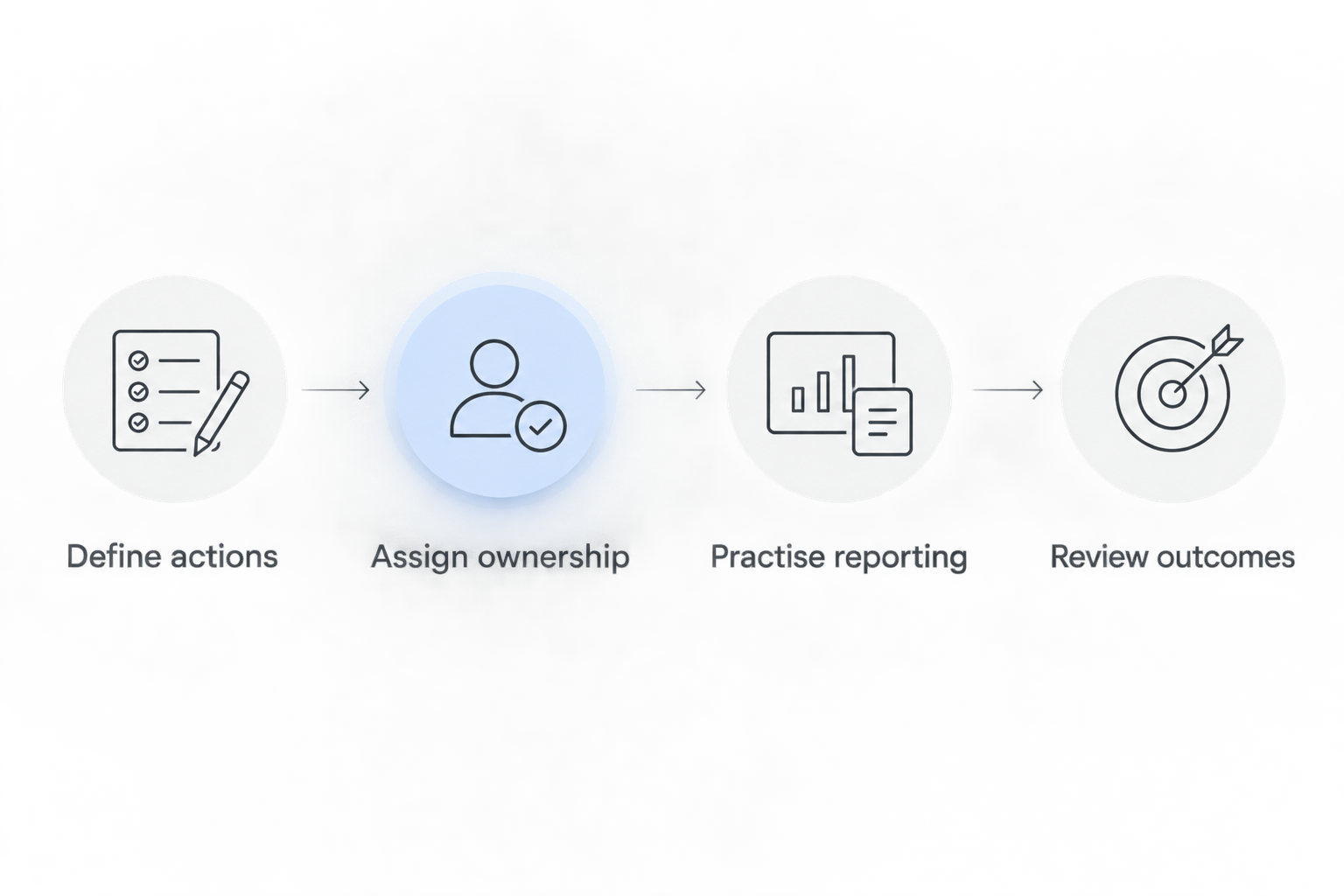
Test the reporting process before expanding training across the institution.
Keep participation and behaviour measures separate. Record who received training, who completed it, whether learners understood the required action, and whether reports reached the right person. Assess security culture beyond phishing click rates rather than treating a single campaign result as the programme verdict.
Which training approach should you choose?
Choose a blended staff programme unless you have a specific reason to start elsewhere. Add workshops for sensitive responsibilities and simulations once reporting works. Use your existing LMS when it meets your delivery requirements, and maintain a separate student curriculum.
Before committing to a provider, require a demonstration using a school scenario. Ask the provider to show learner access, reporting, follow-up and administrator records—not just play a sample video.
FAQ
What's the best cyber security awareness training for schools?
A blended staff programme is the best default for schools because it combines explanation, practical decisions and follow-up. Cyber Aware recommends adding role-based workshops and reporting practice around the institution's procedures.
Should teachers and students complete the same security training?
Teachers and students need separate learning pathways. Staff training covers institutional responsibilities, while student education needs age-appropriate content and safeguarding review.
Are phishing simulations enough for a college?
Phishing simulations are not a complete college security awareness programme. They exercise suspicious-message handling but do not replace instruction on information sharing, payment verification or account recovery.
How long should a school security training lesson be?
Use a 10-minute lesson as an initial scheduling choice, then check whether learners can perform the required action. Extend or split the material when accessibility needs or topic complexity require it.
Can a school use its existing LMS for cyber security training?
A school can use its existing LMS if it supports the required access, accessibility and training records. Test a sample lesson and reporting export before selecting content.
What should schools measure besides training completion?
Schools should measure understanding, reporting actions and whether reports reach the responsible team. Keep those measures separate from completion so an attendance record is not mistaken for demonstrated behaviour.
What should a school ask a training provider to demonstrate?
Ask the provider to demonstrate a school-specific scenario from learner assignment through reporting and follow-up. Also inspect accessibility, administrator permissions, data handling and record exports.
One last thing
Ask staff this question before buying anything: What would you do immediately after entering your password on a suspicious page? Use the answers to identify unclear reporting instructions, not to grade individuals. Your next lesson should resolve that uncertainty and let staff practise the response.